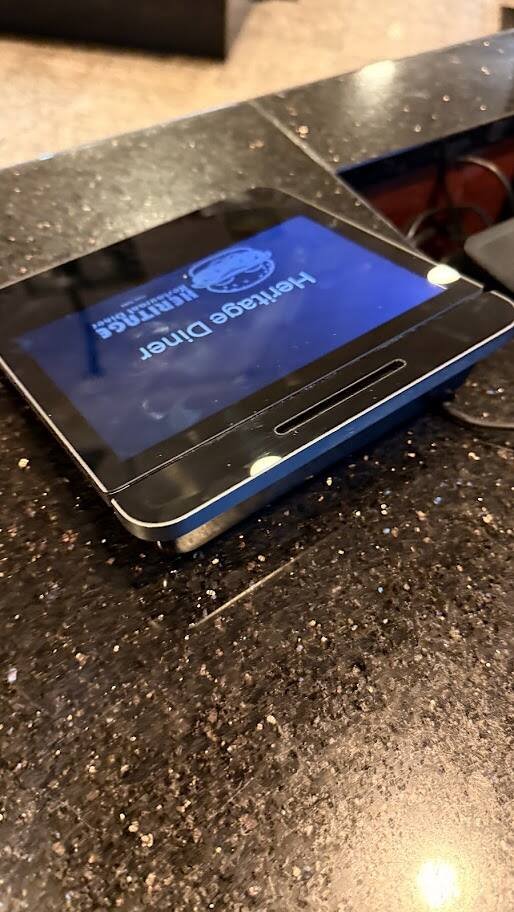
The first thing a customer touches at The Heritage Diner isn’t a menu. It’s a screen. A small white tablet faces them across the counter, shows them what they owe, and takes their card. Behind it, on my side, sits the bigger screen my staff rings on. That pair is the first-generation Square Register. I bought it about two years ago, and it’s backed up by four Square Terminals, two Square Stands holding iPads, and three receipt printers.
What the First-Gen Register Is
Two screens, one cable, no iPad required
The Register is Square’s all-in-one counter system. It isn’t an iPad in a stand. It’s Square’s own hardware running Square’s own software, with a seller screen on one side and a customer display on the other. Merchant Maverick lists the first-generation seller display at 13.25 inches and the customer display at 7 inches. A breakdown of the box from ecommerce-platforms.com lists the register, power adapter, accessory hub, customer display, customer display cable, and a mounting plate with tools.
The customer display can sit docked against the register or out on its own at the end of a cable. Square sells a newer second generation now. Its Register page lists $899, built-in tap and dip payments, an IP54 rating against spills and dust, and offline payments that upload when the internet comes back. Mine is the original.

How We Use It
One register at the door, everything else in support
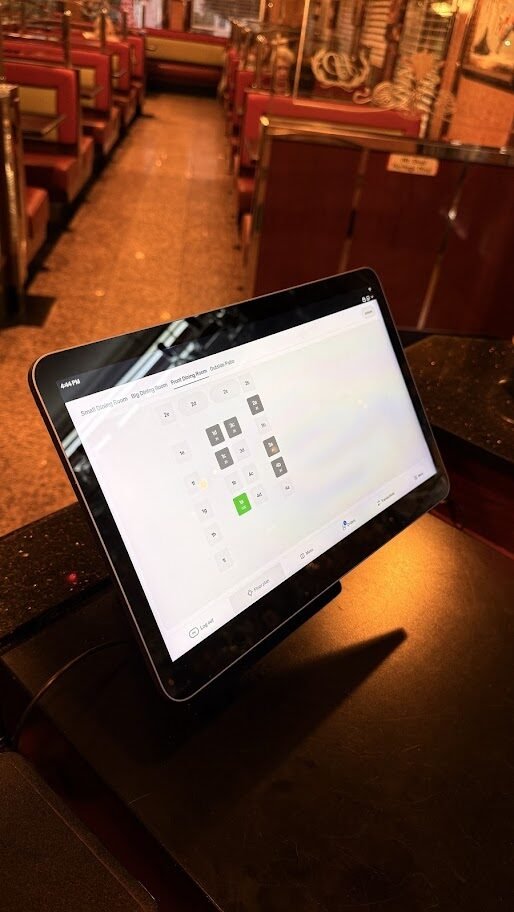
We run one Register, up front by the door. Customers eat, take their check from the server, and bring it up to the counter to pay on the way out. So every payment in the building funnels through that one spot, and that one spot has to work.
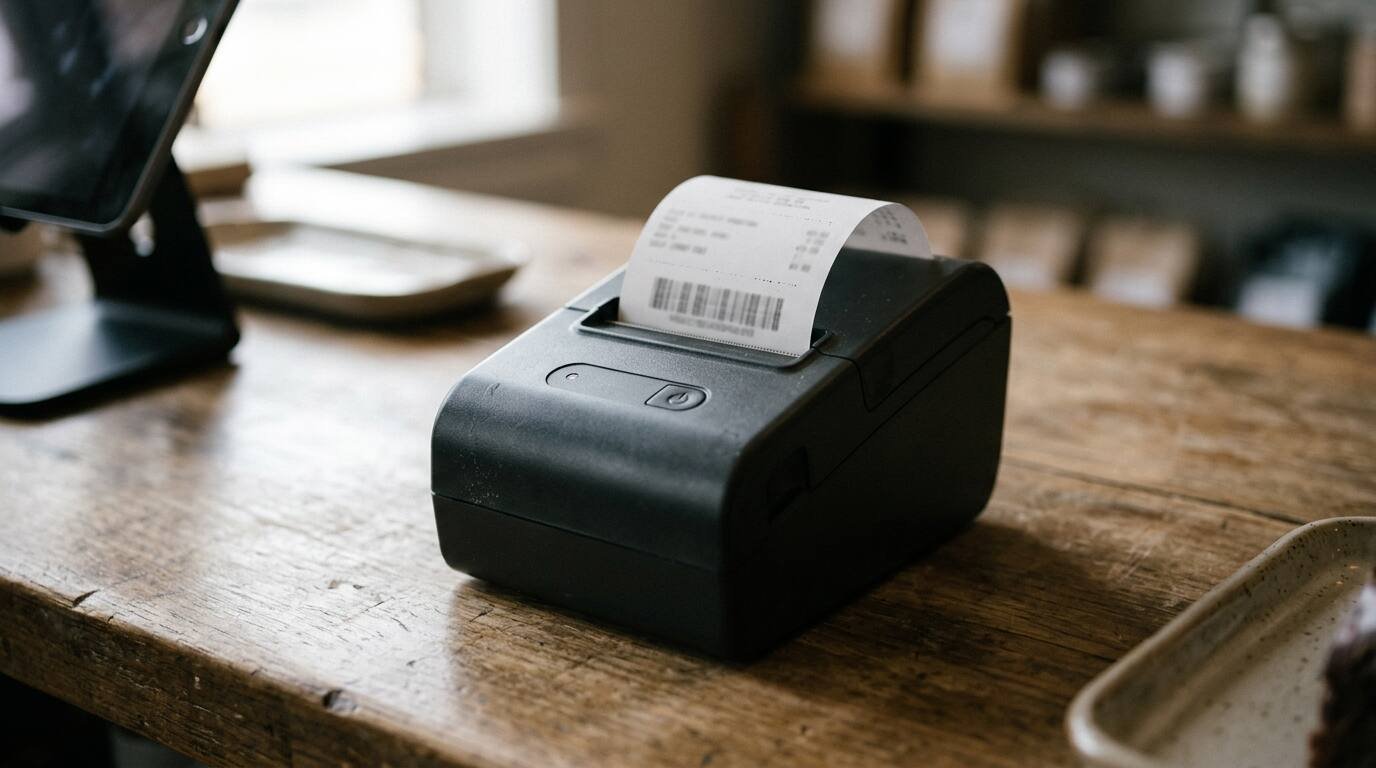
When it doesn’t, or when the line backs up past the pie case, the Terminals come out. That’s their job: backup when the Register is down, and a second lane when the Register line gets long. The two Stands hold iPads elsewhere in the room, and three receipt printers handle the paper.
The Register also takes payments offline. If the internet drops, it keeps taking cards and sends the payments through when the connection comes back. Square’s Register page notes the catch: offline payments are declined if the device stays offline too long, and the merchant carries the risk on declined or disputed ones. For a few minutes of bad Wi-Fi, it’s a lifesaver. For a long outage, it’s a gamble.


What I Like
It looks right on a diner counter, and it keeps getting better
The form factor is the first thing. It’s small, it’s clean, and it looks good on the counter without eating the space where plates and pie cases and coffee cups need to go. A diner counter is prime real estate. Everything on it has to earn its spot, and the Register does.
The customer display is the second thing. It looks professional and it responds fast. Customers tap or dip their own card, pick a tip, choose a receipt, all without my staff passing a device back and forth over the eggs. Owners say the same. One on the Square Seller Community called the customer-facing display the real reason they bought it, and another post notes customers can sign, choose their receipt and type their own email or phone number on it.
The third thing is the one that surprised me. The software keeps getting better. I didn’t buy new hardware to get new features. The updates came to the box I already had. Most equipment in a restaurant starts aging the day it’s installed. This one has improved.

The Cable That Keeps Failing
Two replacements and counting
Here’s the trouble. The cable between the Register and the customer display keeps going bad. I’ve replaced it twice. The latest was a $12 replacement customer display cable from Square’s hardware store in October 2026, $13.05 with tax.
When that cable acts up, the customer display drops. It has happened in the middle of a rush, with a line at the door and checks in hand. Every time, restarting the Register brought it back. It’s a small part with a big job, and in a diner it lives a hard life: bumped by plates, tugged when someone slides the display over, run past hot coffee machines and wiped down a dozen times a day.
I’m not the only one. One owner on the Seller Community suspected a bent cable was making the display disconnect, and Square’s support offered to troubleshoot and send a new one. But the cable isn’t always the culprit. A long community thread collected owners whose displays kept disconnecting even when docked, and Square’s suggested fix was to restart the Register. A Square moderator noted the display may also show up disconnected in the morning after the nightly reboots and need a restart to reconnect.


What I’d tell another owner:
- Keep a spare cable in the drawer. At $12, it’s cheaper than one rush of slow lines.
- Restart before you replace. If the display drops, a restart may bring it back. If it keeps dropping, then swap the cable.
- Route it so nobody pulls on it. Tape it down, keep it away from where people slide things, and leave slack at both ends.
The Terminals: Bulky Backups With a Built-In Printer
First-gen, heavy in the hand, still useful
We also have first-generation Square Terminals, the handheld card machines with a screen and a printer built in. Honestly, we don’t use them much. They’re a bit bulky, and they mostly live as backup.
That’s a common note. Merchant Maverick lists bulky design as a con and says it can feel awkward passing it from hand to hand. FitSmallBusiness’s Terminal review puts battery life at up to 24 hours and the price at $299.
What they do well is the printer. A receipt comes straight out of the top, no separate printer, no cable. That’s handy when a customer wants paper, and it’s exactly what you want in a backup. When the Register has gone down, the Terminals have taken over. When the line at the door gets long, a server grabs one and opens a second lane. I have four, and on a busy weekend that’s the difference between a line and a crowd.


The Stands: Good Holders, Tired Swivels
They hold the iPads. They don’t hold their position anymore.
The Square Stands hold our iPads well. They’re solid, the iPad sits where it should, and they look clean on the counter. The problem is the swivel. On both stands I own, it’s starting to lose its grip. You turn the iPad toward the customer, and it won’t stay put.
The swivel is supposed to lock. A Square Champion on the community forum said the base should still swivel and lock in place. Other owners describe the opposite: one owner had a stand that wouldn’t stop at the locked position and kept dragging and fraying its cord, and another thread describes stands that stick, overspin or underspin.
Before calling it worn out, check the mount. A Champion on another thread suggested a stand that won’t behave may not be fully screwed onto the piece that attaches to the counter. If it’s seated right and still spins, it’s time to talk to Square about a replacement.
The Honest Turn
I like this hardware. It looks good, the customer display is the best thing on my counter, and Square keeps making the software better without asking me to buy anything. But the weak points are all the moving parts: a cable that flexes, a swivel that turns. The screens and the software have held up. The joints haven’t. That’s not a reason to avoid Square. It’s a reason to keep a spare cable in the drawer and not spin the stands harder than they need.


Who It’s For
The Register fits a counter-service restaurant, café or diner that wants a dedicated, good-looking two-screen setup and doesn’t want to manage iPads. The Terminal fits as a backup or for a business that moves around. The Stand fits anyone already running iPads. If you buy the Register, budget a spare display cable from day one.
I run The Heritage Diner, where this hardware is in use.
Sources
- Square Register page: https://squareup.com/us/en/hardware/register
- Merchant Maverick, Square Register review: https://www.merchantmaverick.com/reviews/square-register-review/
- ecommerce-platforms.com, Square Register review: https://ecommerce-platforms.com/epos-reviews/square-register-review
- Square Seller Community, Register reviews: https://www.sellercommunity.com/t5/General-Discussion/My-New-Square-Register-Review/m-p/62611 and https://www.sellercommunity.com/t5/General-Discussion/My-New-Square-Register-Review/m-p/84097
- Seller Community, display disconnecting: https://www.sellercommunity.com/t5/Troubleshooting/Square-Register-Displays-Disconnecting/m-p/88440
- Square Community, Customer Display Not Working: https://community.squareup.com/t5/Hardware-Setup-Troubleshooting/Customer-Display-Not-Working/m-p/358295 and https://community.squareup.com/t5/Hardware-Setup-Troubleshooting/Customer-Display-Not-Working/m-p/376302/highlight/true
- Merchant Maverick, Square Terminal review: https://www.merchantmaverick.com/?p=50734
- FitSmallBusiness, Square Terminal review: https://fitsmallbusiness.com/square-terminal-review/
- Square Stand swivel threads: https://community.squareup.com/t5/Payments-Troubleshooting/How-does-the-Square-Stand-swivel-function-work/m-p/361220, https://www.sellercommunity.com/t5/Troubleshooting/How-can-I-keep-the-stand-from-spinning-all-the-way-around/m-p/64420, https://community.squareup.com/t5/Archived-Discussions-Read-Only/Square-stand-not-spinning-properly/m-p/38663 and https://community.squareup.com/t5/Payments-Troubleshooting/Defective-Square-Stand-No-warranty/m-p/373034
- Square Australia video: https://www.youtube.com/watch?v=q4EtSiWdSfA