

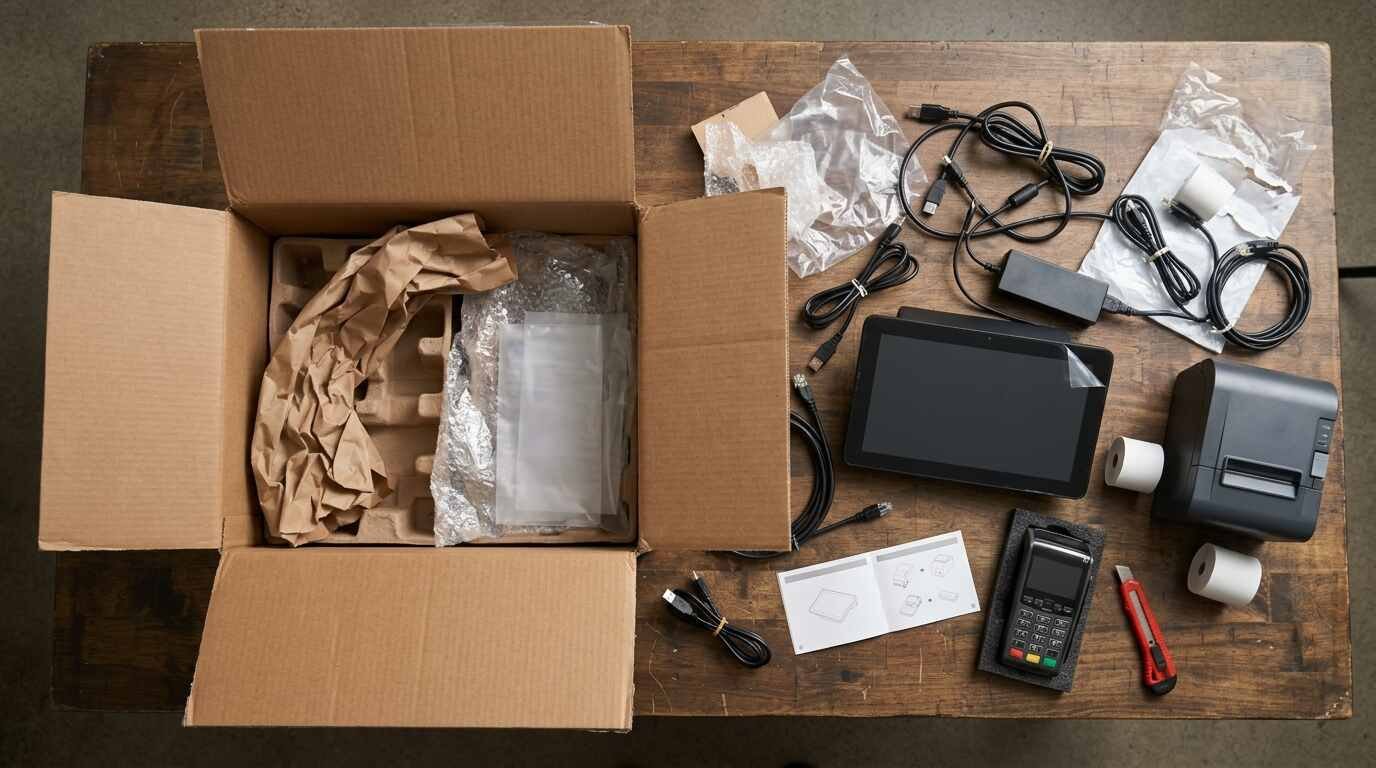
Changing point-of-sale systems is mostly a data project with a hardware delivery attached. The new terminals arrive in a box and look like the whole job; the harder part is moving years of items, customers, gift card balances and sales history out of one vendor’s system before access to it narrows. The order of work matters more than speed, because several of the exports described below stop being available once an account closes or a replacement provider goes live.
This checklist is vendor-neutral. Examples come from the support pages of Square, Toast and Clover as fetched on the date given under Sources, and the particulars differ for every system. A vendor’s own export page for the specific product in use takes precedence over any general outline.
Inventory what the old system holds
The first task is a list, with no exporting yet. A typical system holds more categories of data than are obvious at the counter:
- the item or menu library, with prices, modifiers, tax settings and categories
- sales history, by item, by day, by tender and by employee
- customer records, including contact details and purchase history
- gift card balances and, where offered, loyalty points
- cards on file for repeat customers or invoices
- employee records, time punches and tip data
- cash drawer and deposit history
- settings that never appear in a report, such as tax rules, tip presets, discount types and printer routing
Each line becomes an export task or a rebuild task. Clover’s own migration guidance, published in June 2024 as a promotional piece for moving to Clover, starts the same way: evaluate the current system, list the needed features, then plan the migration around quiet periods, with time for testing and a task checklist. Its closing advice is a soft launch alongside the old system, with on-site help and a staff helpline.
A rule that applies to any move: nothing is cancelled until every line on the list has been exported, verified or consciously abandoned.
Export reports before anything is cancelled
Export tools vary widely, and the fine print is where plans go wrong.
Toast’s support answer on downloading a backup of Toast data is direct: Toast offers no single export of all account data. Almost all reports carry a download icon, data is available for the last 48 months, and reports can be filtered six months at a time. After an account is closed, data stays accessible for 60 days, with a shorter window possible in some international markets. Long histories therefore mean many separate downloads, and a closure date turns the job into a deadline.
Square’s report export page describes CSV exports from the Dashboard, with a choice between selected columns and all columns. It also lists exceptions: cash drawer reports cannot be printed or exported, and transaction status pages can be printed but not exported. A system that cannot export a report is one where the printed or emailed copy, made while the account is still open, becomes the record.
Verify an export before relying on it. Opening each file and comparing a total to the on-screen report catches truncated downloads and filtered date ranges. A sales export whose monthly total matches the original report is usable; one that is off by a few hundred dollars needs a second look before the account is closed.
For a small shop that tracks stock in a spreadsheet, the structure described in a simple inventory spreadsheet for a small shop makes a useful cross-check against whatever the item export produces.
Customers, gift cards and cards on file
These three categories are treated differently by processors, and each has a hard constraint.
Customer lists. Contact data usually exports as a spreadsheet. Square’s card-on-file page points sellers to the Dashboard path Customers, then Customer directory, then Import / Export, then Export customers, as a way to help the new processor match cards to customers. A plain customer sheet, along the lines of a simple customer spreadsheet for a small shop, works as a fallback record in any case.
Gift cards. Outstanding balances are a liability owed to customers, so they cannot be dropped in a move. Toast’s page on exporting gift card data for third-party use says to export before a third-party gift card provider is enabled, because Toast gift card reports become inaccessible once that provider is on. The steps are the Gift Card Balances report and the Inactive Gift Cards report, both as CSV files, handed to the new provider. The page uses the words “MUST be done prior to.” Whether other systems can carry balances across at all is a question for the vendors involved.
Cards on file. Raw card numbers cannot be exported into a spreadsheet and carried over by hand. Square’s article on exporting cards on file states that only the account owner can request it, that the owner must call support to verify ownership, and that the data goes only to a receiving processor that is PCI DSS Level 1 compliant, which the page attributes to PCI regulations. The average timeframe is up to two weeks, and the output is an encrypted CSV sent to the new processor, with each row including card ID, card number, expiration date, postal code and Square customer ID. The page also says the process is not intended for bulk migration requests from e-commerce platforms, which go through a partner manager.
The practical lesson holds for any system. A request for card-on-file migration starts weeks ahead of the cutover, and a merchant that has not asked for it yet may find recurring customers asked to re-enter cards.
Rebuild the item library and test it
Item data is usually the easiest bulk import and the most error-prone, since a price typed wrong in a spreadsheet becomes a price charged to customers. Three checks reduce the risk.
- Sample every category. Ring up one item from each category on the new system and compare the price and tax to the old receipt.
- Test modifiers and combinations. Modifiers, size options and forced choices tend to import partially, so a test order should include the oddest item on the menu.
- Run a mock close-out. A dummy day of sales, a cash count and a report check proves the reporting path works before real money moves through it.
A rebuild is also the natural moment to retire items that no longer sell, which keeps the import smaller and the test shorter.

Hardware, network and a staged cutover
Clover’s guide recommends scheduling the switch for a quiet period, leaving time for testing, briefing staff on training and role changes, and considering a soft launch alongside the old system. Those points apply whatever the brand.
A parallel-run period costs money, since two subscriptions overlap, but it also means the old system can answer questions raised by the new one. Where a processor change is part of the move, the timing of the first deposit deserves attention. Processing and POS contracts may have notice windows and fees that affect when the old system can be shut off; that is a matter for the actual agreements, and a licensed professional can read them.
Staff are the most variable part of the cutover. The cross-training described in cross-training restaurant staff pays off here, since a second person who can run the new register at open or close prevents the whole transition from depending on one employee’s availability. A one-page quick reference taped at each terminal, covering voids, refunds, discounts and tips, takes an hour to write and saves many questions.

Records that outlast the old system
The last item on the checklist concerns the old system’s data after the move. The IRS lists the documents that support gross receipts: cash register tapes, bank deposit slips, receipt books, invoices and credit card charge slips. Its guidance on how long to keep records gives a general rule of 3 years for income tax records, with longer periods in certain situations, for example 6 years when income is left off a return by more than 25% of the gross income shown, and at least 4 years for employment tax records.
New York adds its own rules for sales tax vendors. The Tax Department’s recordkeeping bulletin calls for keeping records for at least three years from the due date of the return, says electronic records must meet the same requirements as paper ones, and states that for POS systems the audit trail must stay on at all times. If a system cannot store the full three years, the data must be kept in a commonly used, non-proprietary format. A CSV export serves that purpose, which is another argument for exporting broadly before an account closes.
Where a retention schedule is already in place, the guide to what records a small business keeps and for how long is the place to add the old POS exports. They belong with the other tax-supporting records, labeled with the system’s name and the date range each file covers, and stored somewhere other than the old POS vendor’s servers.
A closing sequence that holds up in most moves: export and verify, request card-on-file and gift card transfers, build and test the new item library, run both systems briefly, switch, reconcile the first few days, and only then cancel the old plan.
This post is general information about published guidance and not a substitute for reading the actual agreements or consulting a tax professional.
For informational purposes only — consult a licensed attorney, tax professional or financial advisor.
Sources
- https://blog.clover.com/how-to-pos-swap-with-ease-without-the-headache
- https://support.toasttab.com/en/article/Can-I-download-a-back-up-of-all-of-my-Toast-data
- https://support.toasttab.com/en/article/Export-Toast-Gift-Cards-Data-for-Third-Party-Use
- https://squareup.com/help/us/en/article/8362-print-export-or-email-your-reports
- https://squareup.com/help/us/en/article/7871-export-card-on-file-to-third-party-payment-processors
- https://www.irs.gov/publications/p583
- https://www.irs.gov/businesses/small-businesses-self-employed/how-long-should-i-keep-records
- https://www.tax.ny.gov/pubs_and_bulls/tg_bulletins/st/record-keeping_requirements_for_sales_tax_vendors.htm
- https://www.youtube.com/watch?v=QFQIWFo9n4E
All pages fetched at the time of writing.
