Sales tax in Square is created once in the Dashboard and then applied to every item it covers, on the register, the handheld and the online channels alike. The steps below follow the Dashboard from the sidebar to the finished tax.
Step 1: Open Sales taxes
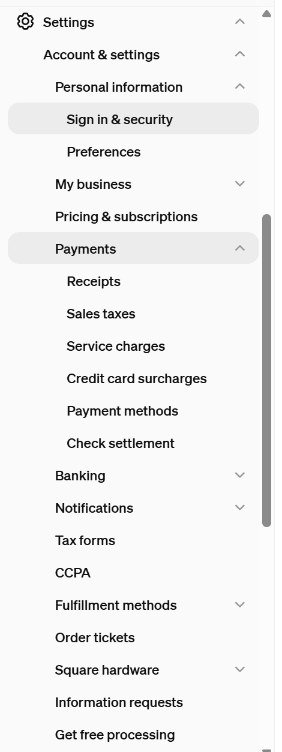
Open Settings in the sidebar, then Account & settings, then Payments, then Sales taxes. Square’s help page gives the same path: Settings > Account & Settings > Payments > Sales taxes.
Step 2: Read the Sales taxes page
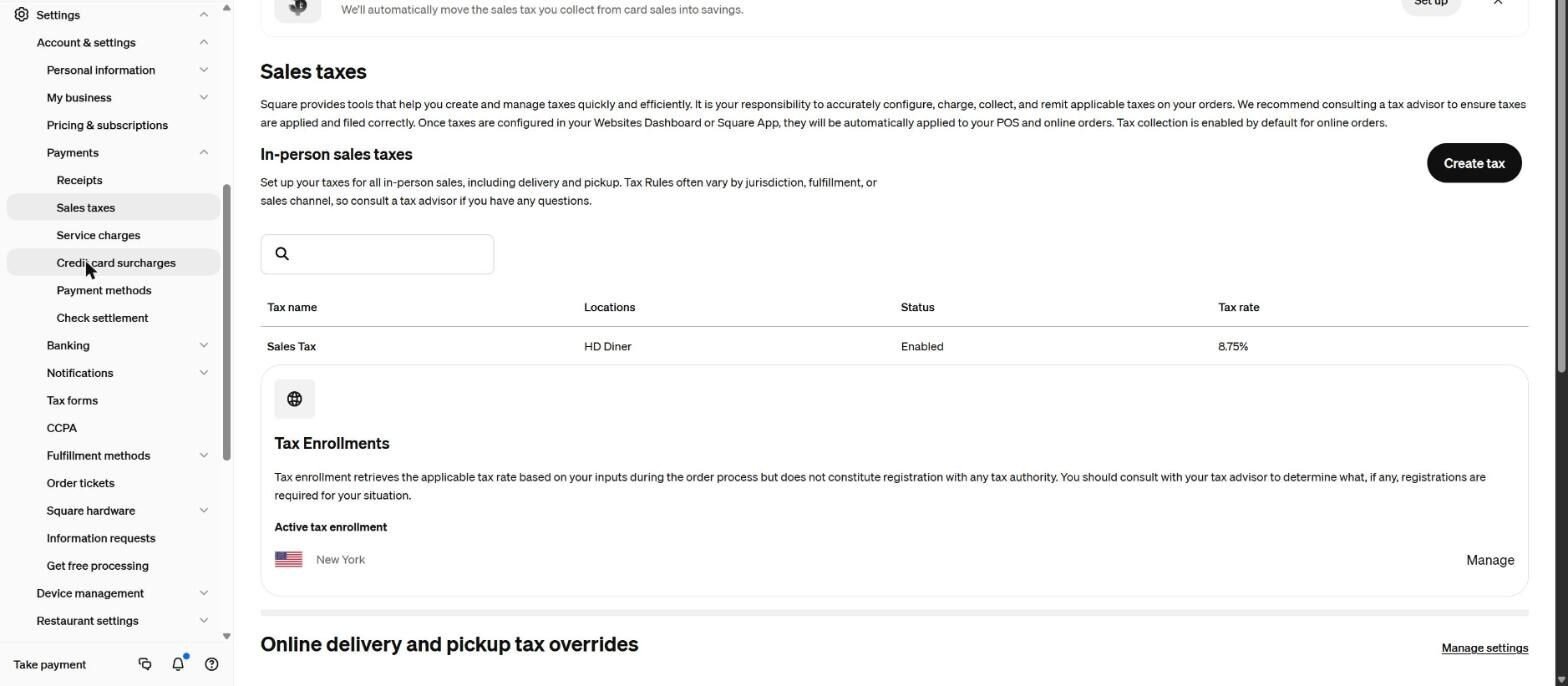
The page lists each in-person tax with its name, locations, status and rate. A Create tax button sits at the top right. Under the list, a Tax Enrollments box shows the states the account is enrolled in. Square’s own wording on that box says enrollment retrieves the applicable tax rate during the order process and is not registration with any tax authority. Square also states on this page that configuring and remitting taxes correctly is the seller’s responsibility.
Step 3: Click Create tax and fill in the details
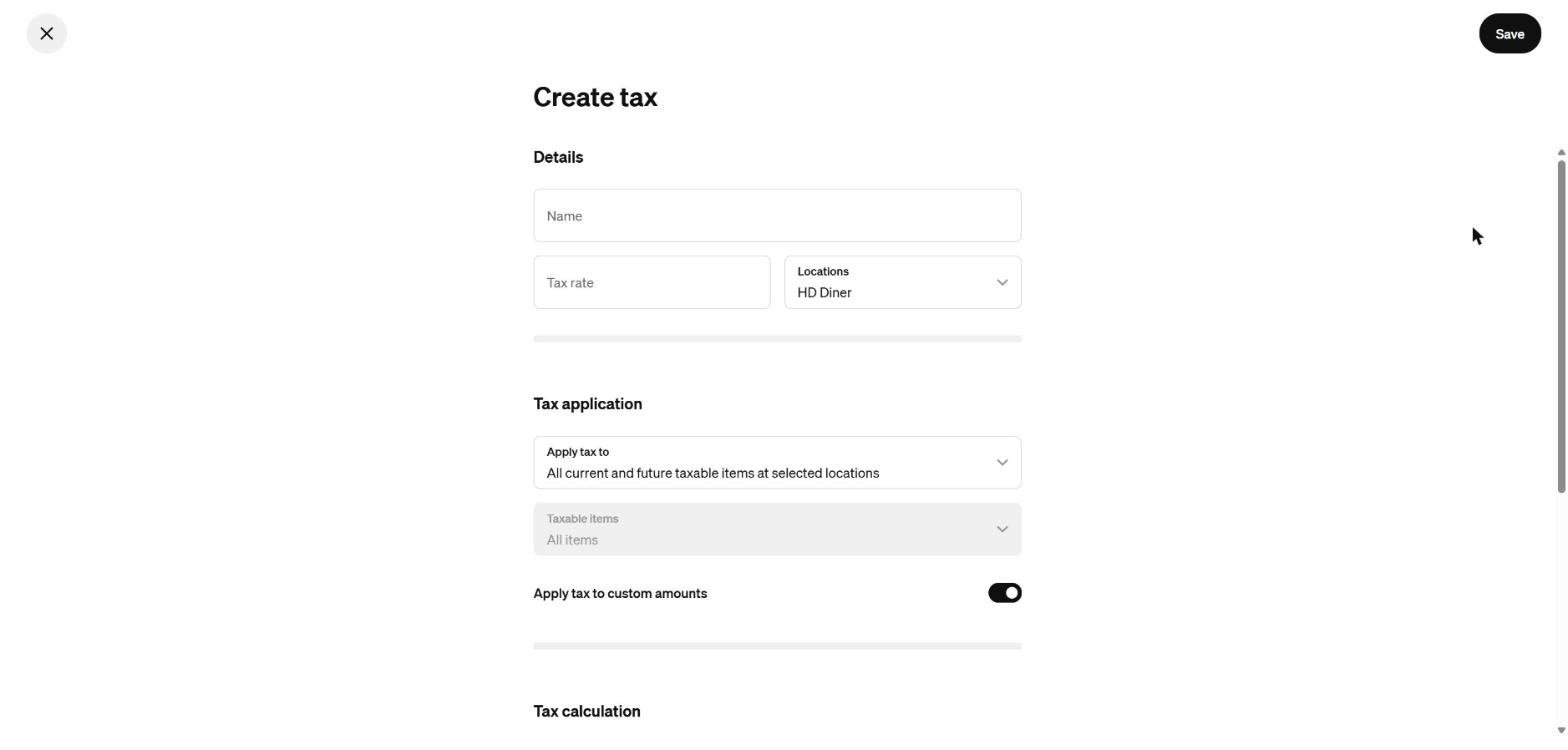
The Create tax form starts with Details: a Name, a Tax rate and the Locations the tax applies to. Under Tax application, the Apply tax to menu is set by default to all current and future taxable items at the selected locations. The Taxable items field is greyed out while that option is selected and lets specific items be picked if the other option is chosen. The Apply tax to custom amounts toggle decides whether the tax also applies to custom amounts added to a cart.
Step 4: Choose additive or inclusive
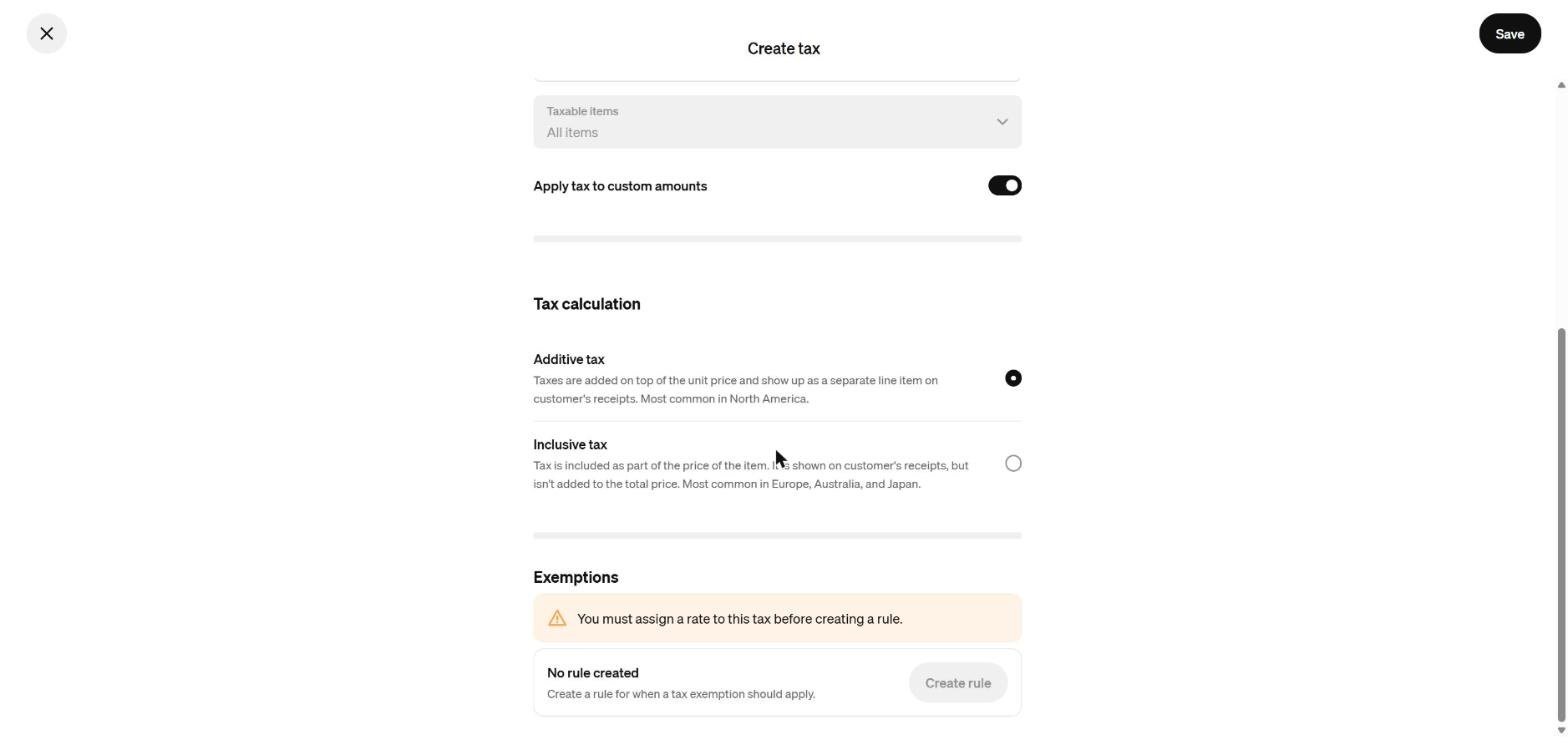
Scroll to Tax calculation. Additive tax is added on top of the item price and shows as a separate line on the receipt; Square notes it is the most common choice in North America. Inclusive tax is built into the price of the item and shown on the receipt without being added to the total. The Exemptions box below asks for a rate before a rule can be created.
Step 5: Save, then check an item
Click Save at the top right. The example on this page was never saved; the form was discarded. After a real tax is saved, open an item in the Item Library and look at the Taxes line near the middle of the form. It shows which tax the item uses, for example Sales Tax at 8.75% on a prepared food item.
Rates and the state
The tax rate depends on the location of the restaurant. New York State publishes its local sales tax rates through the Department of Taxation and Finance. For a deeper look at tax setup in New York, see Sales Tax Setup on a Restaurant POS in New York.
For informational purposes only — consult a licensed attorney, tax professional or financial advisor.
Referral: The Heritage Diner runs its register, loyalty program and payroll on Square. A business that signs up through this Square referral link and takes its first payment earns a reward for both sides. Disclosure: Peter Kalafatis has a financial interest in Square referrals.
Sources
- https://squareup.com/help/us/en/article/5061
- https://www.tax.ny.gov/forms/locality-notices/st-25-1.htm
- https://www.youtube.com/watch?v=VG9DVQbIEOY
Screenshots were taken from a Square Dashboard on November 8, 2026.